
IPR — Image Processing Room
IPR develops your RAW files and edits your photos without ever changing the original. Free of charge and open source, it does everything on your computer.
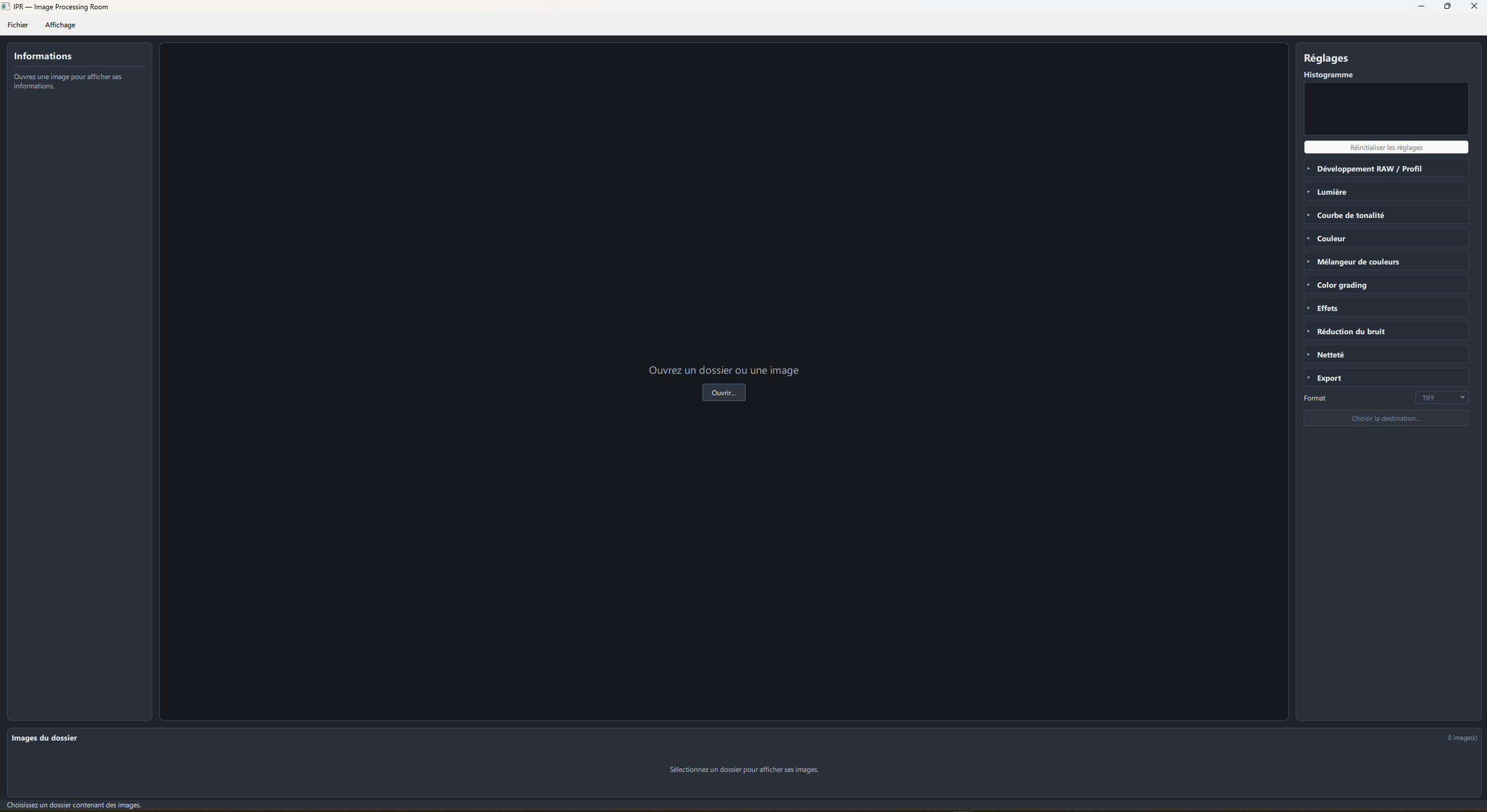
What IPR does
-
RAW development
Opens CR2, CR3 and DNG files, with DCP camera profiles, white balance, lens and chromatic aberration correction.
-
Complete adjustments
Light, colour (HSL mixer, colour grading, point colour, curves), effects (texture, clarity, dehaze, grain), noise reduction and sharpening.
-
Geometry, masks and retouch
Straightening, perspective and crop; masks from gradients, brush or tone ranges; remove, heal and clone.
-
Assemble
Noise-reduction stacking, horizontal or vertical panorama and HDR merge, saved as DNG.
-
Local artificial intelligence
Denoising on the RAW mosaic and object selection by clicks, optional and off by default. They run on your machine: no photo is sent anywhere.
-
Non-destructive editing
Adjustments are saved in an .ipr file next to the photo. Export to JPEG, PNG, TIFF and DNG, one by one or in batches.
Validated cameras
IPR develops the RAW files of the Canon EOS R6 Mark III (CR3) and EOS 60D (CR2) itself, validated adjustment by adjustment. Other cameras open through LibRaw, without dedicated validation.
A beta, with its limits
IPR is in beta. Its interface is in French for now; English comes with the first stable release. The validation summary details what is checked and the known limits.
Free software
IPR is published under the AGPL-3.0-or-later licence. The source code, the issue tracker and earlier versions are on GitHub.